add1024 님의 블로그

  • 홈
  • 태그
  • 방명록

VSCode 2

Visual Studio Code (VSCode) FTP 설정

PHP 코드를 VSCode에서 편집하고 싶다. 내상태 다른컴퓨터에 PHP 설치되어 있는 상태 FTP로 접속해서 편집만 하고 싶다.  다들 FTP-Simple 사용하니까 나도 사용하기 (고민하기 싫음) 1. 설치확장 ( Ctrl + Shift + X)  FTP-Simpe 검색 및 설치 신뢰2. 설정F1 => ' >ftp-simple : config - FTP connection setting' 선택FTP 설정[ { "name": "localhost", "host": "", "port": 21, "type": "ftp", "username": "", "password": "", "path": "/", "autosave": true, "confirm": true }]  3. 연결설정한 FTP ..
VSCode 2024.09.21

Visual Studio Code 설치 (VS Code 설치) - 기본

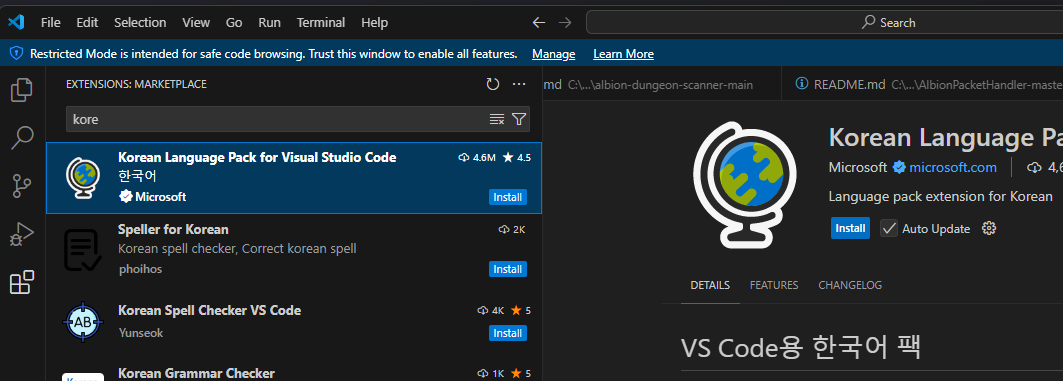
PHP 코딩 공부를 시작해 보려고 한다. VS Code 설치 하라고한다. 1. 다운로드2. 설치3. 한국어 언어팩 설치 (선택) 1. 다운로드 (약 97M)설치 URL : https://code.visualstudio.com/ Visual Studio Code - Code Editing. RedefinedVisual Studio Code is a code editor redefined and optimized for building and debugging modern web and cloud applications.  Visual Studio Code is free and available on your favorite platform - Linux, macOS, and Windows.code.visu..

VSCode 2024.09.21
이전
1
다음
더보기
프로필사진

add1024 님의 블로그

add1024 님의 블로그 입니다.

  • 분류 전체보기 (5)
    • Visual Studio (1)
    • C# (1)
    • VSCode (2)
    • PHP (0)

Tag

SVN, visual studio code, image, byte배열, ByteArray, 중단, ankssvn, FTP, 스트림덱모바일설치, byte[], vscode, 같은 네트워크, 설치, vscodeftp, visualstudio, C#, SVN연동, 스트림덱모바일, 변환, 한글언어팩,

최근글과 인기글

  • 최근글
  • 인기글

최근댓글

공지사항

페이스북 트위터 플러그인

  • Facebook
  • Twitter

Archives

Calendar

«   2026/04   »
일 월 화 수 목 금 토
1 2 3 4
5 6 7 8 9 10 11
12 13 14 15 16 17 18
19 20 21 22 23 24 25
26 27 28 29 30

방문자수Total

  • Today :
  • Yesterday :

Copyright © AXZ Corp. All rights reserved.

티스토리툴바